VERSION 1.026
Fixes, changes and new features
Fixed: Download of promo pictures and product page data broken by changes on the DAZ site.
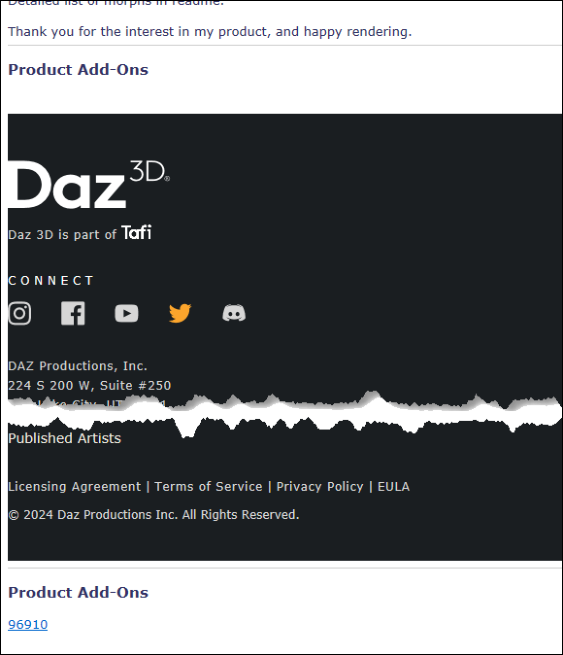
Fixed: Long DAZ/Tafi footer occuring on some product data pages.
Fixed: Install Manager Data > Default Data Source setting on the Settings tab was not saved, when
changed
Removed: Play Sound when logged in successfully
Fixed: Misc minor bugs
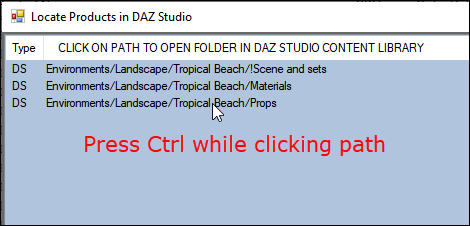
New: Close ‘Locate Products in DS’ window after selecting path
Fixing Product Page Data and Promos
For restoring missing promo pictures for product pages already downloaded, se here
DAZ/Tafi Footer
Recently, DAZ has added a large DAZ/Tafi footer to the product pages in the store.
The footer has been included on some product data pages downloaded by the program (mainly for products
recently migrated from Renderosity), sometimes also breaking the normal layout as shown here:
This has been fixed now so that the footer no longer is included.
This has now been fixed, so the footer no longer is included on any pages.
Some other minor layout issues like duplicate data fields on some pages have also been fixed.
To remove the footer on already downloaded pages and fix other issues, you can update the product data pages
using the same methods as for restoring promo pictures.
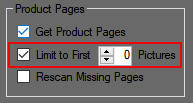
If you use the method using the Product Data Manager, for updating multiple pages, it will by default also
update (re-download) the promo pictures for the selected products, overwriting the existing ones. If you want
to avoid that you can set Promo Picture download limit to zero, as shown here:
Close ‘Locate Products in DS’ window after selecting path
New feature: pressing Ctrl while selecting a path to locate in DS in the Locate Products in DS window will
now close the window as well as minimize the main program window afterwards: